Sneaky Basket
10/19/2025 Midterm
Halfway Point
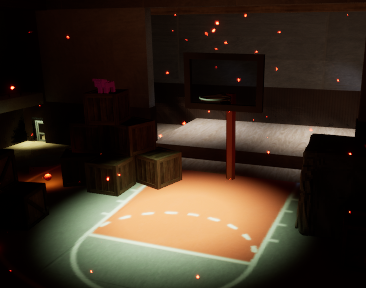
It is officially the halfway point of the semester, and I have accomplished a lot in my stealth game. There are many changes from my first upload to this project, and I will go in-depth with all of these as much as I can.
But for right now, I will describe the consensus of this game.
This game, at its core, is a stealth game. This means that hiding, running, and sneaking play a huge role in the player experience.
My idea for the type of stealth came when we started learning how to use distraction items. Originally, we were given a file of a rock that can be picked up and thrown to distract our Enemy AI. However, since the first moment we used this item, all I could think about was having a basketball instead of a rock. This is how I came up with the idea of a basketball-themed stealth game.
In this game, the goal is to get 6 total basketballs in the basketball hoops, but the catch is that each basketball has a different throw curve. So, one basketball could have a throw curve where you have to be really close to the basket, but another one will have one where you have to be as far from the basket as possible to make it. This is a challenge for the players because they have to sneak around the patrolling enemies while finding the right location to shoot the basketball from.
The accomplishment that the player will feel when they find the right location and make the basket is the whole point of this game. Eliciting that moment of excitement when they prove to themselves that they can do this is what I am trying to accomplish.
Another emotion I intend to elicit is a sense of unease or hesitance as they go through the level. I want them to worry about their actions and whether or not their path is the correct path. I want my players to think out of the box because of the enemies or obstacles in their way.
Now that the base for this update has been established, let us get into the many changes that have been made.
Game Design Document
At the beginning of this semester, our class was given access to a general game design document that we were told to use as a guide for making our games. This document is not meant to limit us, but it is meant to help us understand the main mechanics we need to have working and what direction we need to head in to create the correct type of game.
In the original document, there are many links to other documents that have requirements for this game—for example, the Player Character Mechanics Document, the Level Design Document.
Player Character Mechanics Document
This document helps the designer know how their character is supposed to move. There is what is called a Game Loop that consists of Sneaking and Fleeing. Sneaking is when the player is undetected and trying to avoid being detected. Then there is the fleeing when the player has been detected, and they need to survive and find a way to stop being detected to go back to sneaking. The movements of the PC are what make this possible. There are three main movements that we have currently.
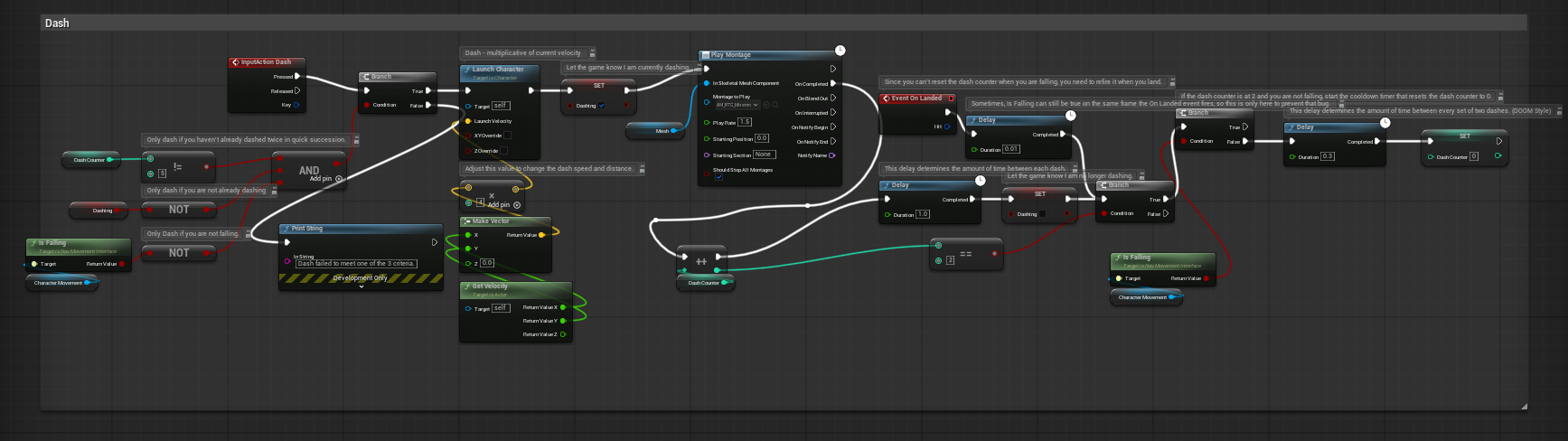
- Dash
This is a fast push forward that allows the PC to gain an advantage over the Enemy AI so that they can get away when chased. The character is pushed forward a certain distance, but they can only dash when certain conditions are met.
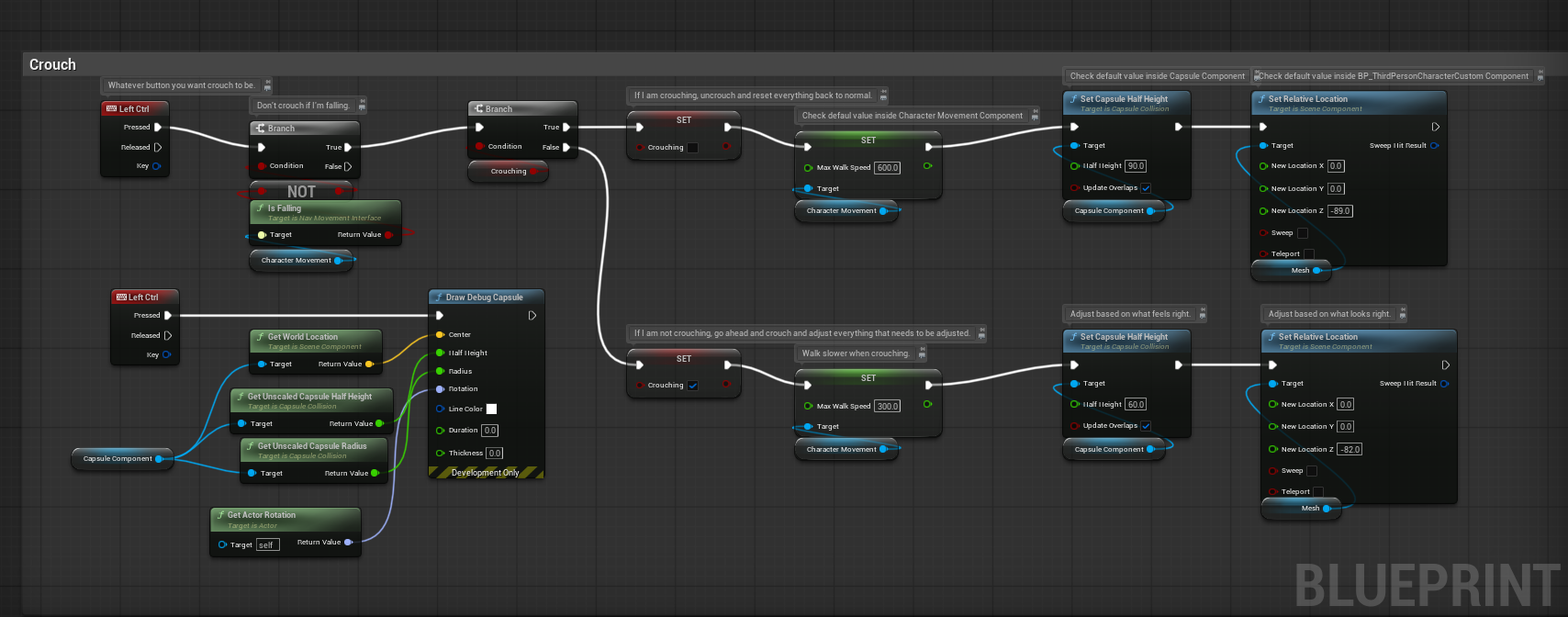
- Crouch
- Crouching is where the character is made half their original height so that they can more easily hide behind walls and move more slowly. You can do this by pressing the left Ctrl button. You can still dash when you are crouched.
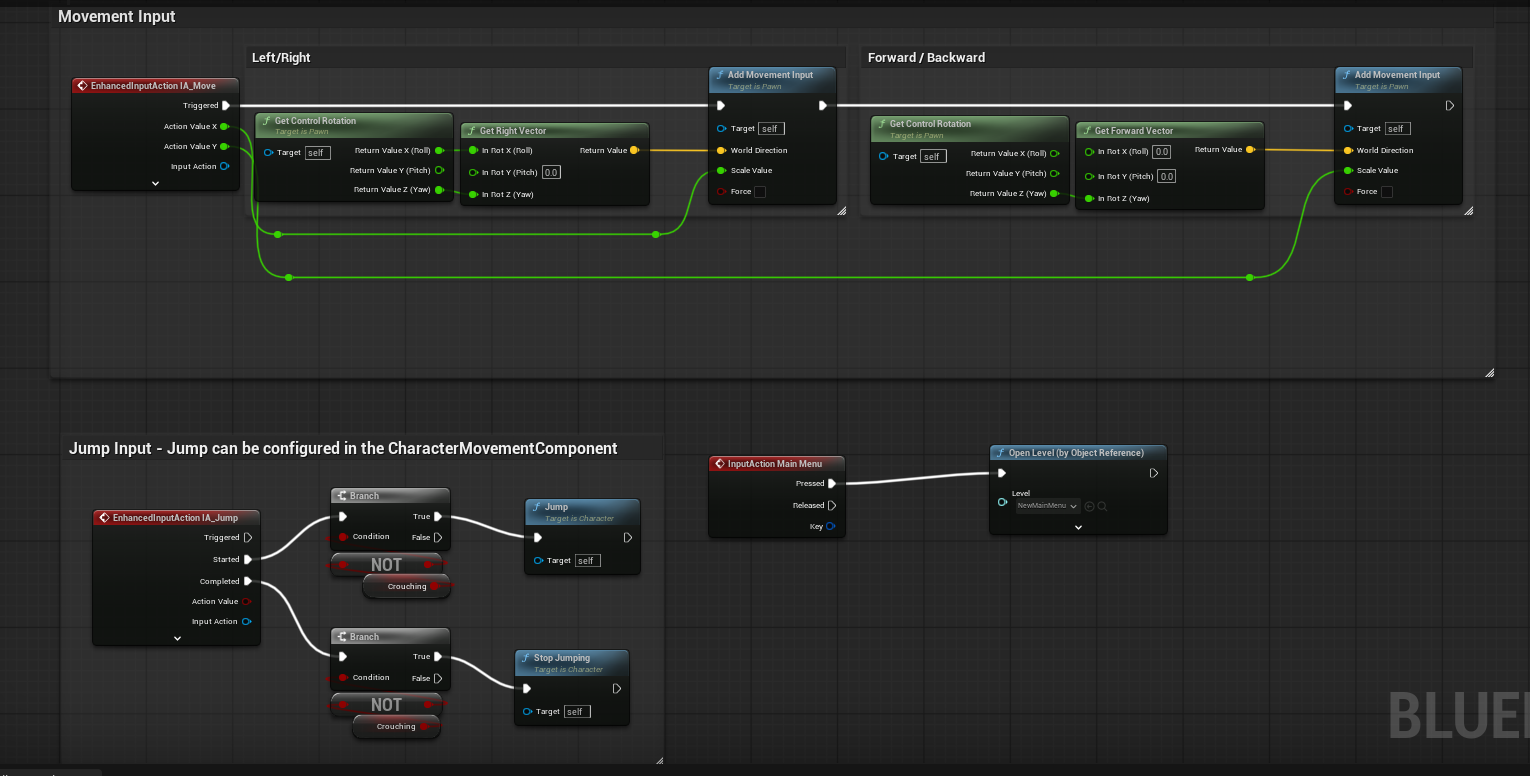
- Base Movement
- The base movement has a movement speed of 600. This means you are slightly faster than the enemy. It is basically your character running the whole time.
Level Design Document
The level design document just explains that we should do our blockout and not focus on making it look nice, but rather on making it practical and usable. This is very present in my blockout because it is very bare minimum at the moment.
Map and Blockout
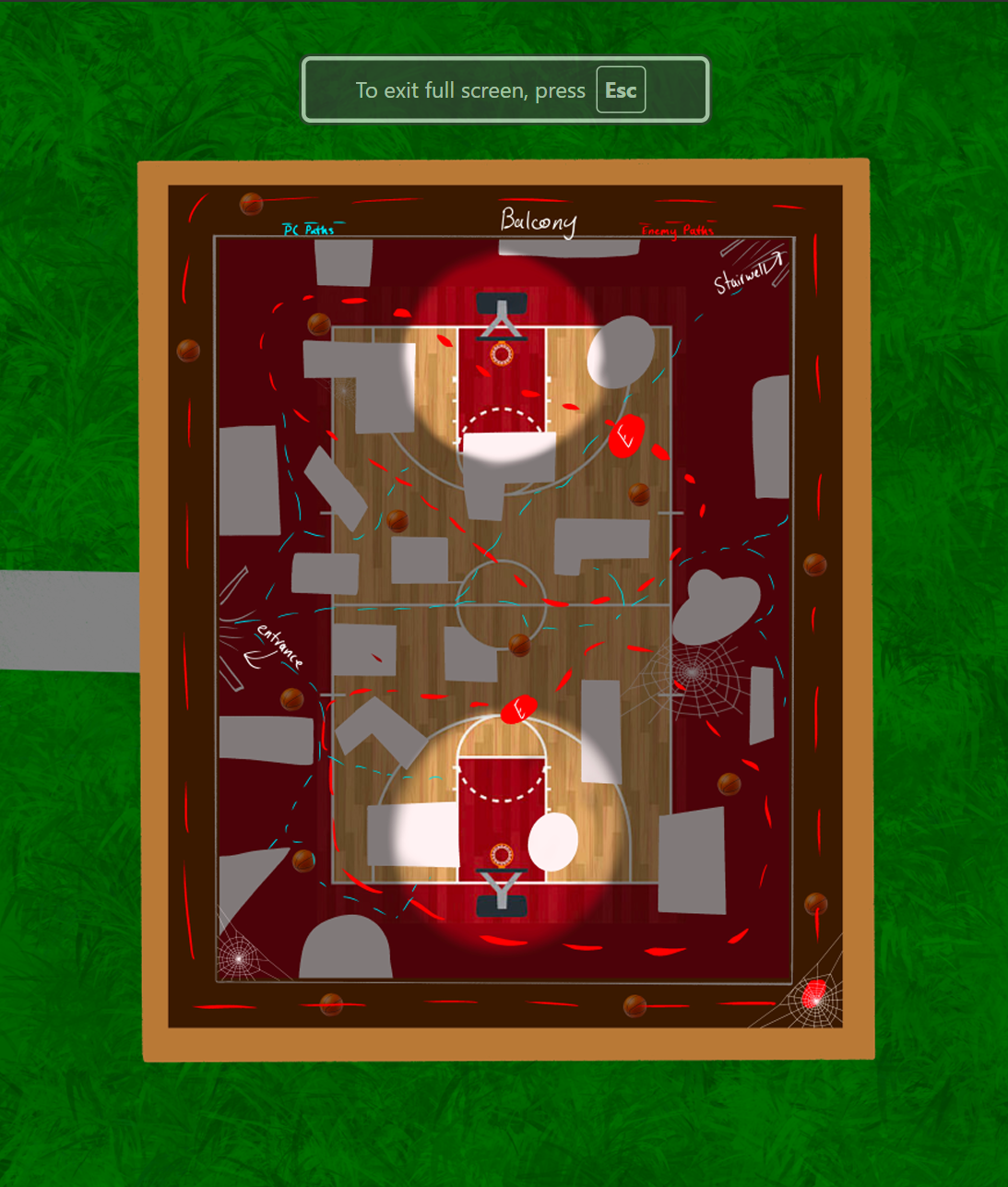
Learning how to properly plan out a map is incredibly important for Game Designers. This is my first-ever map layout, so it is very rough. I used pictures and just added hiding spots, items, and player/enemy routes.
Adding this into my level and using it to help me build my blockout was extremely helpful. I was able to do the whole blockout in a decent amount of time, but that also could have been because it was not nearly as big as some other games I have seen from other students.
My inspiration for this blockout was a Japanese gymnasium that I often see in anime. This means that it is just the court and nothing else. However, as I was looking for inspiration and pictures to base my build on, I found that it is common for these gyms to have a stage and balconies to better watch the court.
My intention for this layout is a gymnasium that is no longer in common use by a school, and it is mostly used as a storage space. In the final build, I am hoping to have cobwebs all over the gym and dust particles. This way, the sense of unease and tension is more conveyable. It also elicits some confusion because the player wonders why enemies are patrolling the gym. This gives me a way to add a story to the game in the future if I want.
Using this research about Japanese gymnasiums also allowed me to build a safe zone for the character, which allows them to get away from the enemies.
This video I have added is a decent amount of gameplay to show how things work after a prolongued playtime.
Important Coding Additions
Win Hoop
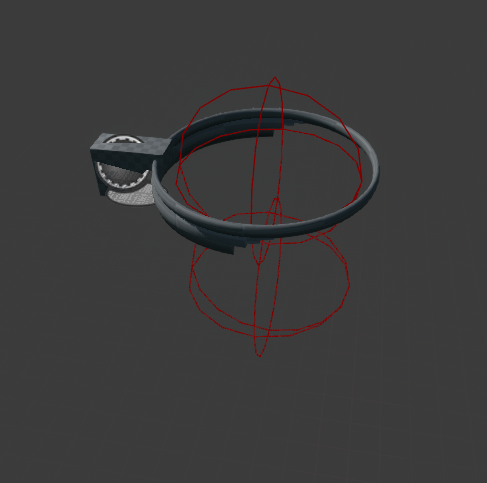
This is the hoop that actually allows the character to make baskets and gain points to win the game. It is set up with two collisions so that the character has to hit the first collision and then the second collision to be able to properly gain a point. However, if you hit the bottom collision only or the bottom collision and then the top collision, you will be labeled a cheater by the system. This currently has no penalty because even when trying to make a good basket, you might hit the bottom collision first. I am still working to figure out how to fix this, but it will take some time and help from others.
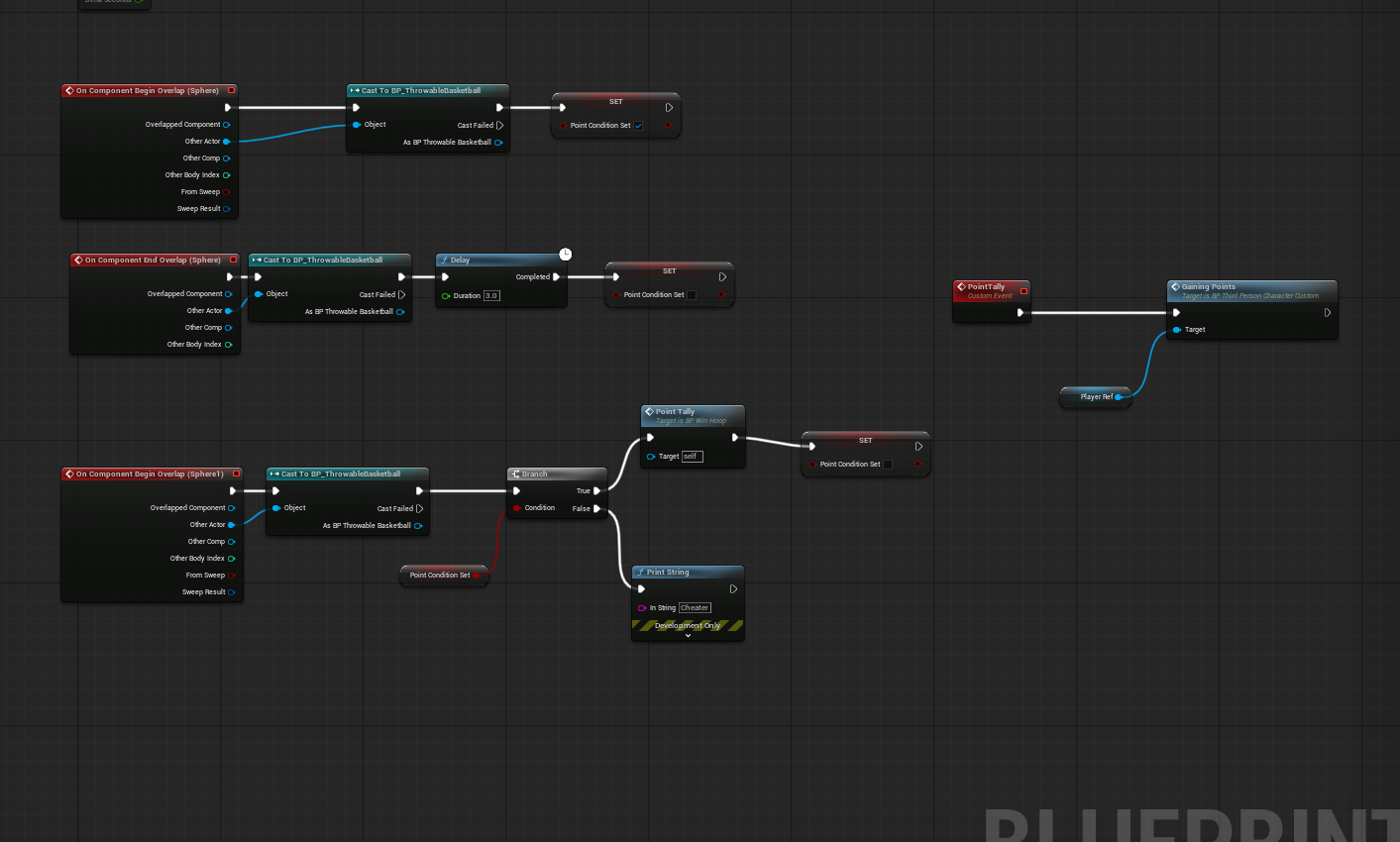
This circles back to the player character because I set up the point counter in the player character code.
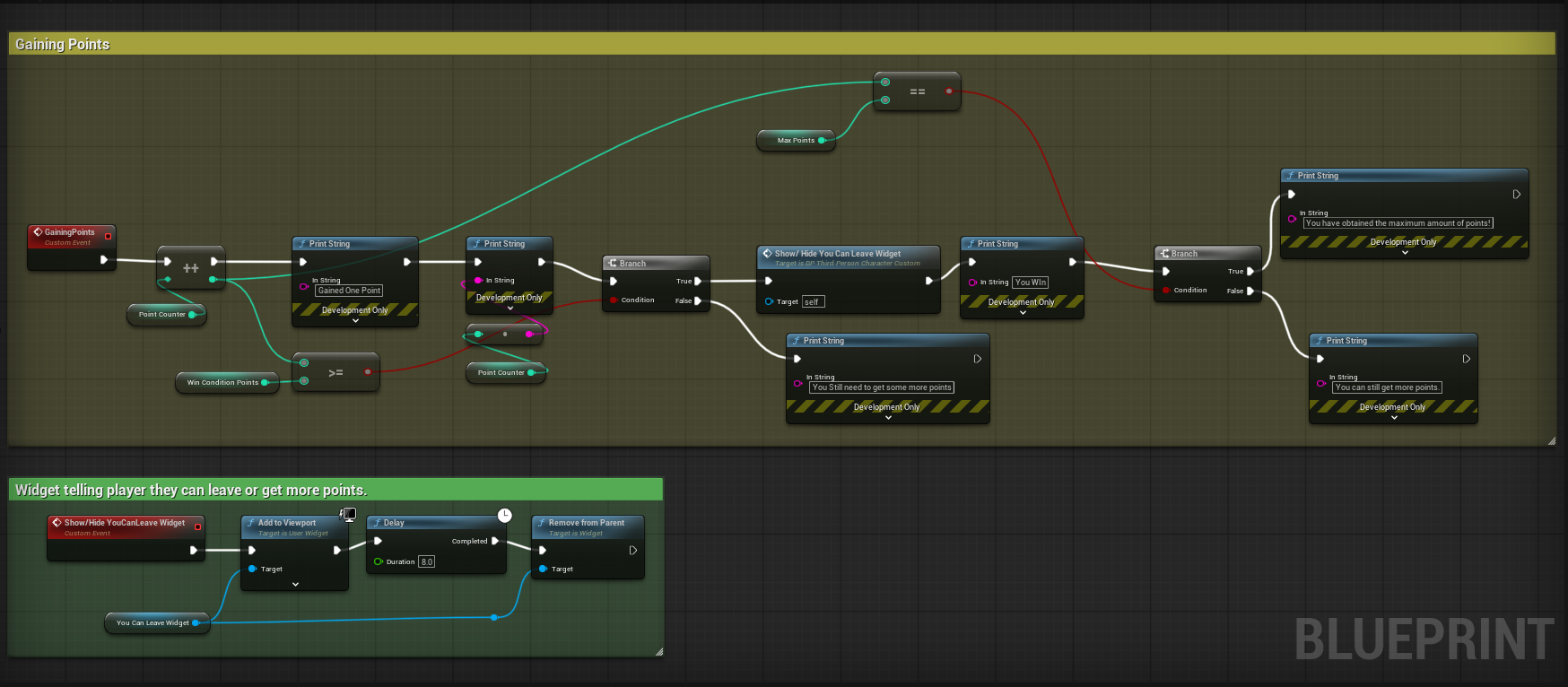
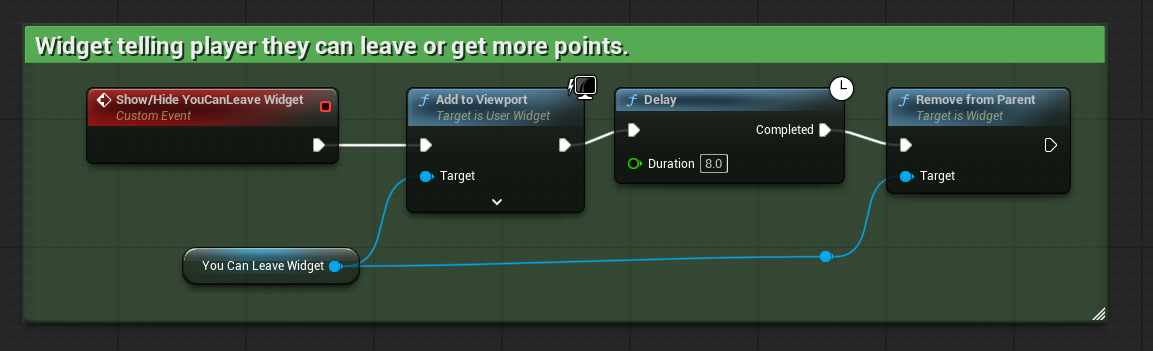
This code keeps track of the points. It also has the number of points you need to win the game, and the maximum amount of points you can get in total. In this code, there is also a widget that will pop up on screen to tell the player they have the correct win point, so they can leave the game, or they can continue to get the maximum amount of points. In the future, I will implement an extra incentive to encourage people to continue to earn the maximum amount of points.
Enemy AI
This was a completely new addition that was not in the original build of the game. We made our enemy AI in class together and then messed with it to make sure the specifications were to our liking for our own games.
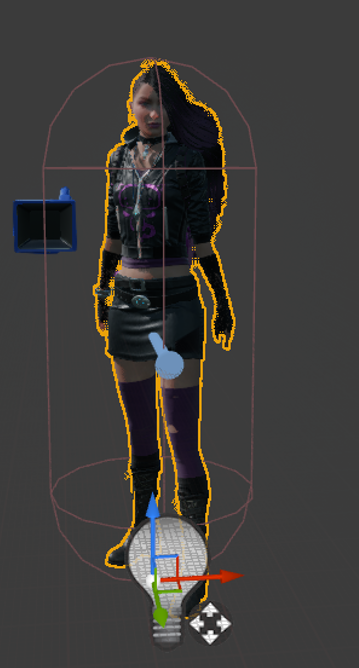
Currently, my enemy AI looks like this.
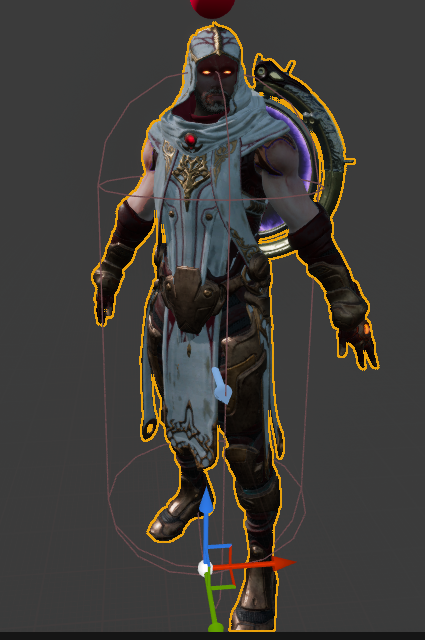
I am having problems sizing the capsule right, so he is a little big, but I will fix that in the future with help from my teacher.
Our Enemy AI has a lot of coding that we have put into it. I know that a lot of students added other things to the coding, but I kept mine very basic.
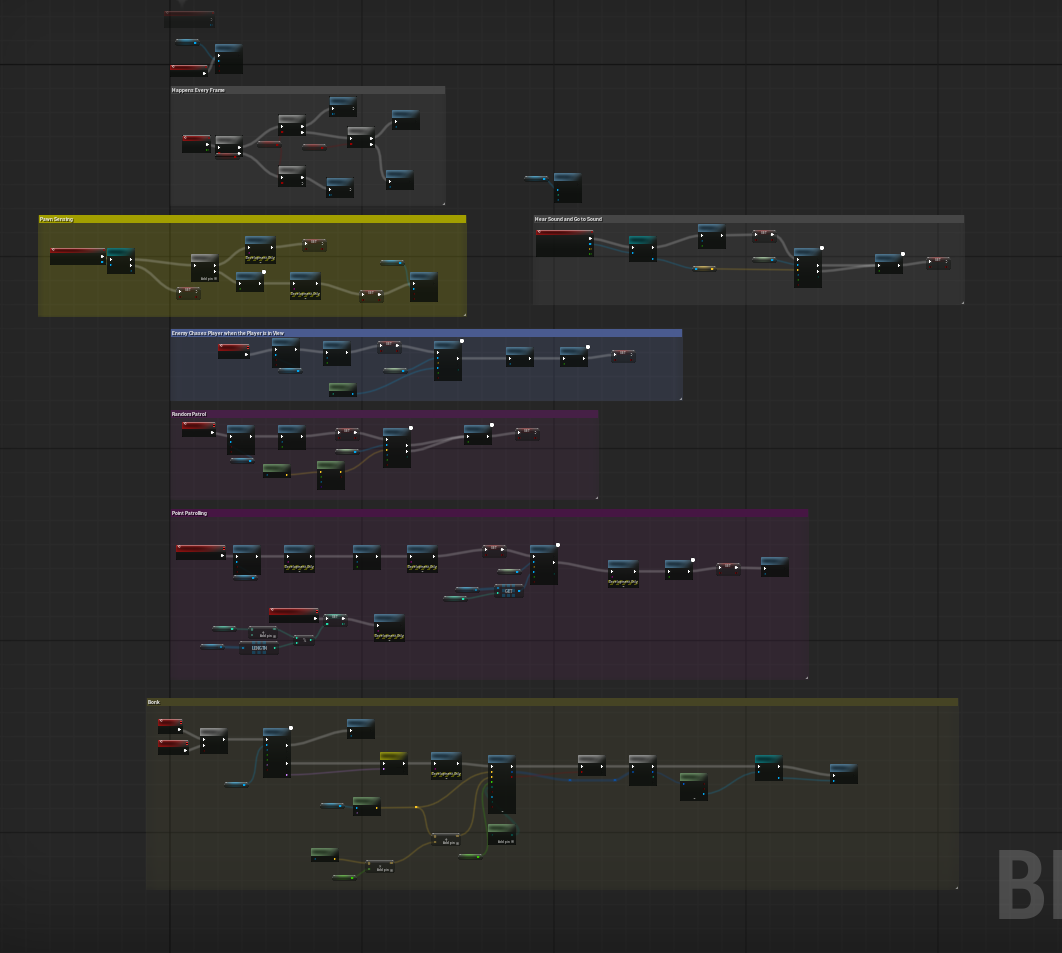
This is the total coding map for the Enemy AI. The most important pieces of coding in this guy are the Pawn Sensing, Patrolling, and Bonk.
Pawn Sensing makes it so that if the Enemy AI sees or hears the player, they will go toward them on their own.
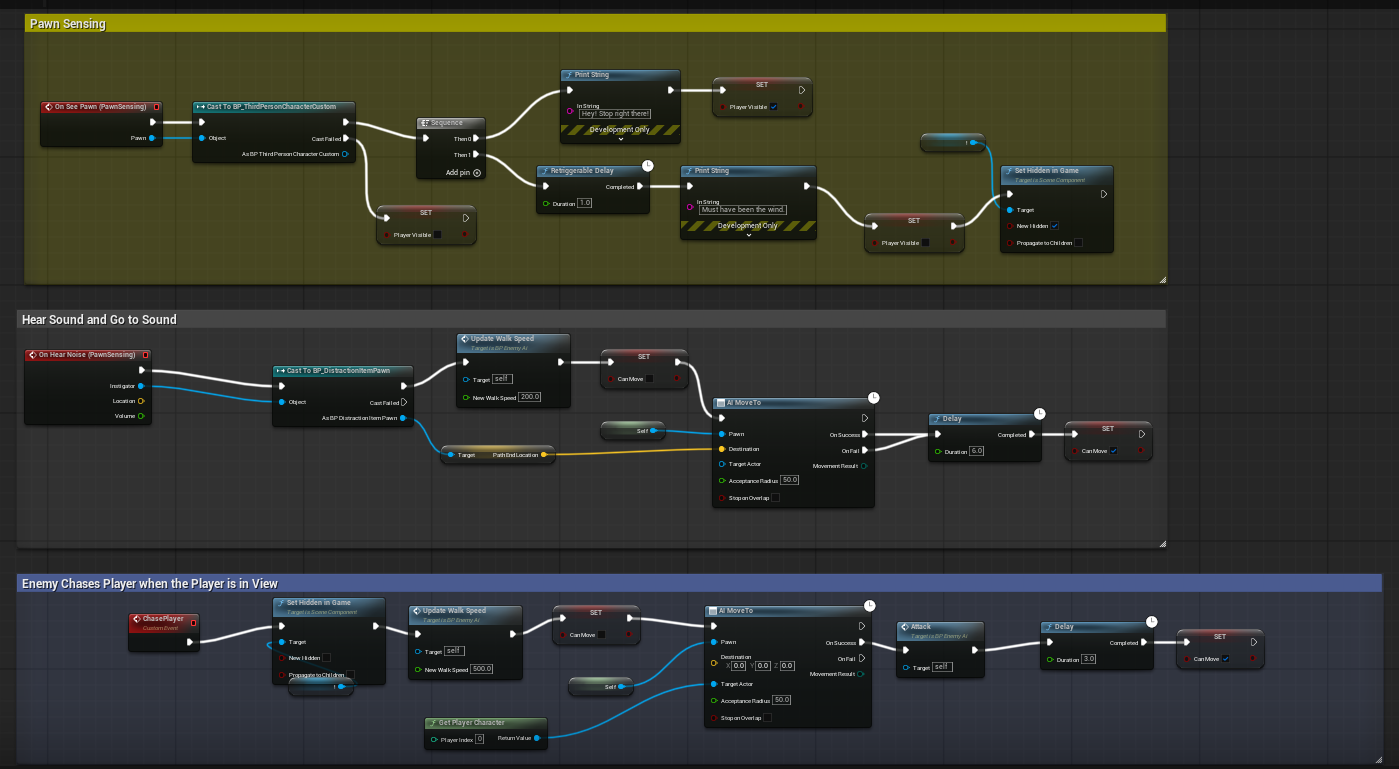
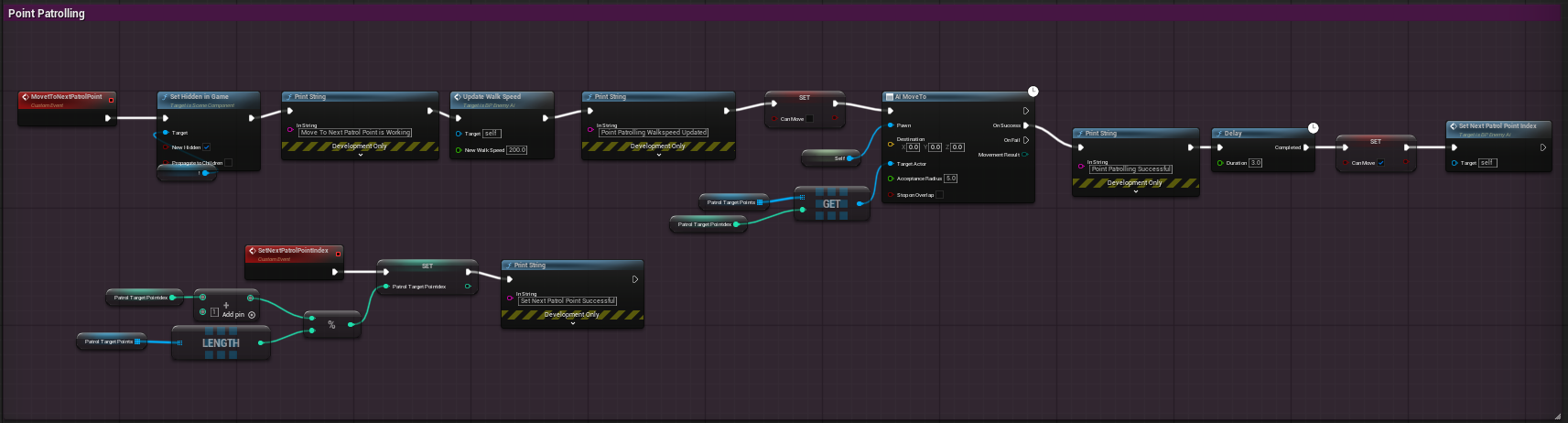
There are two types of Patrolling that we implemented: Point Patrolling and Random Patrolling. Both of these are used in my game.
Point Patrolling is where the AI is given specific locations they have to hit while they are patrolling, and they continue to hit these points the whole time the game is playing. Even when they are chasing a player, after the player gets away, they go back to the next point they were supposed to hit.
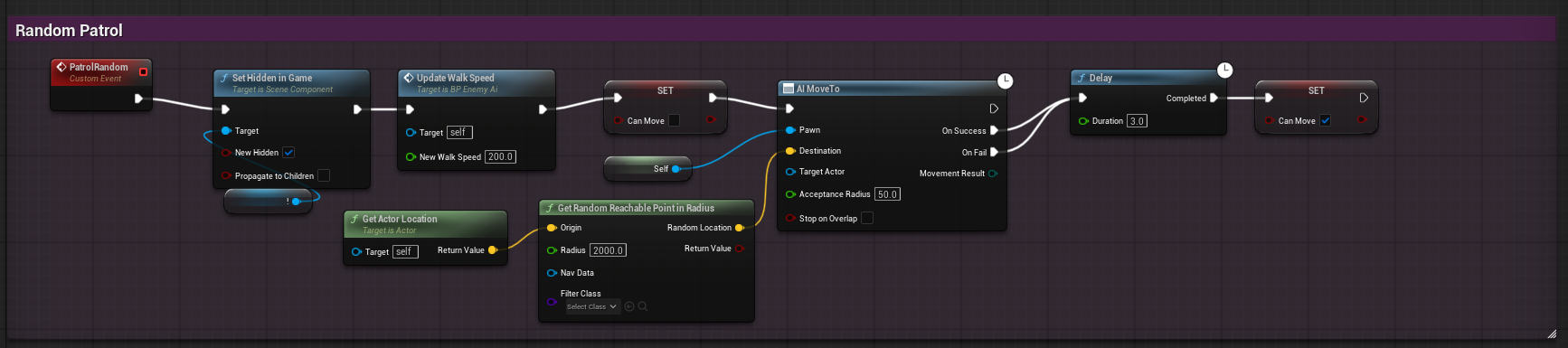
Random Patrolling is exactly what it sounds like. The AI is told to decide on a random location and head to that location. They then stand in that location for three seconds before they head to the next random location. I decided to use this enemy on the top balcony of the gymnasium.
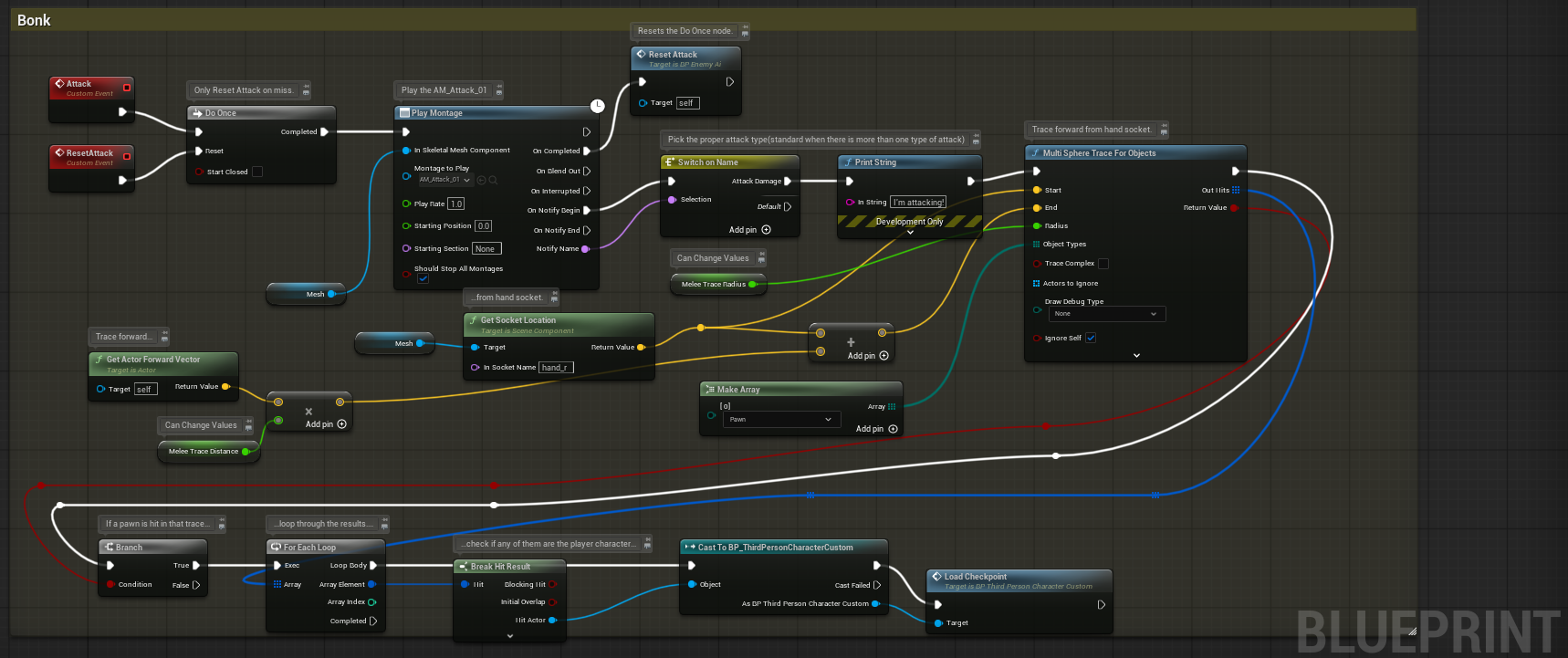
Finally, we have the Bonk Mechanic. This is where, if the Enemy AI is close enough to the character, they will attempt to hit the character. If they are successful in hitting the character, the whole level is reset, and the player loses their accumulated points and has to start completely over.
Third Person Character Custom
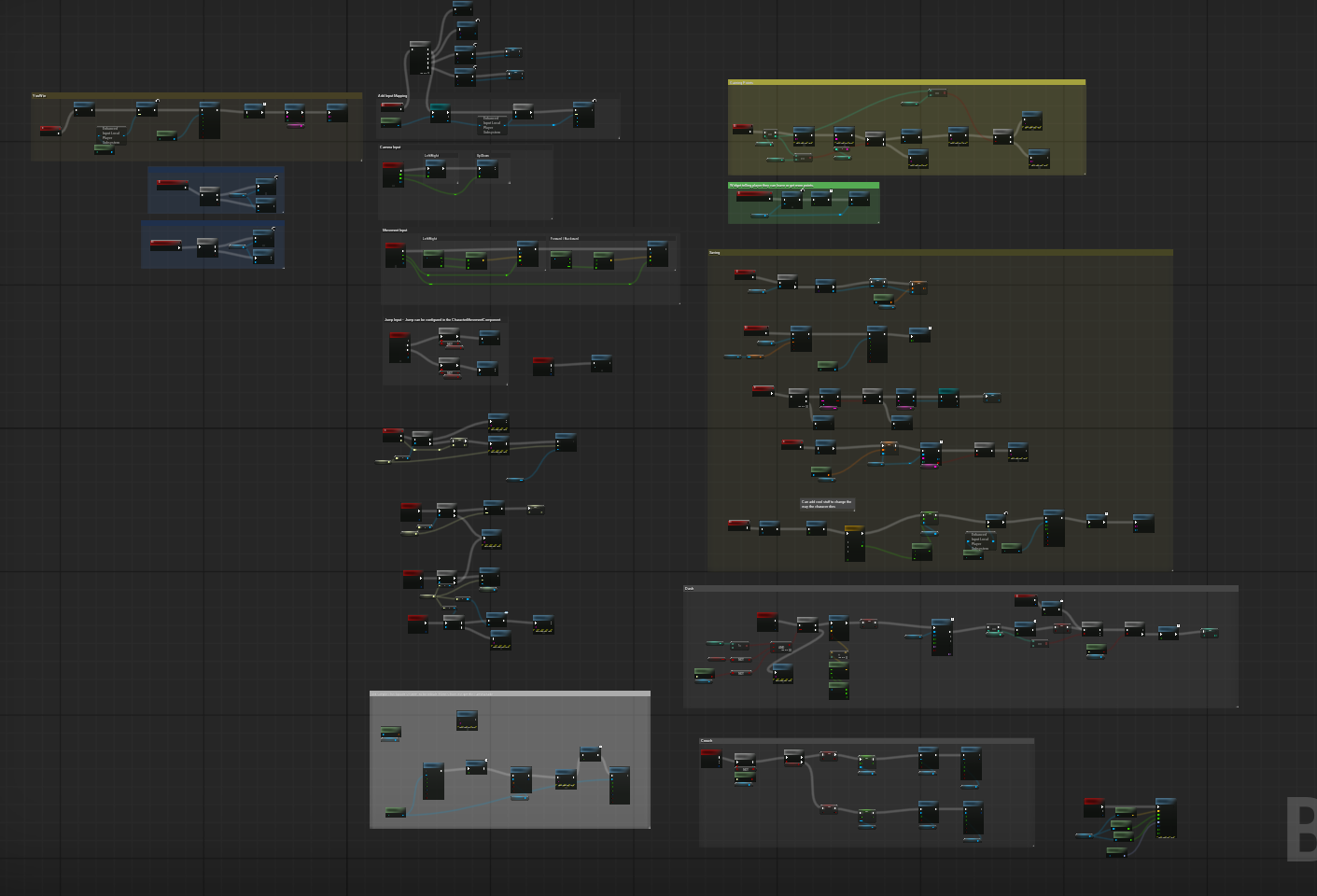
Earlier, I talked about the many different movement types for the Player Character, but now it is time to talk about the code that plays behind the scenes.
Widgets
First, we have all the different widgets that we use throughout the game. Currently, there are three in use. These are the YouWin Widget, the YouDied Widget, and the YouCanLeave Widget.
The first two are pretty self-explanatory. They happen when you win the game and when you lose the game. I got the coding for these widgets from the teacher, but for some reason, they do not show when they are called. This is something that multiple people have tried to help me with, so I will have to further discuss with my teacher about why they are not working.
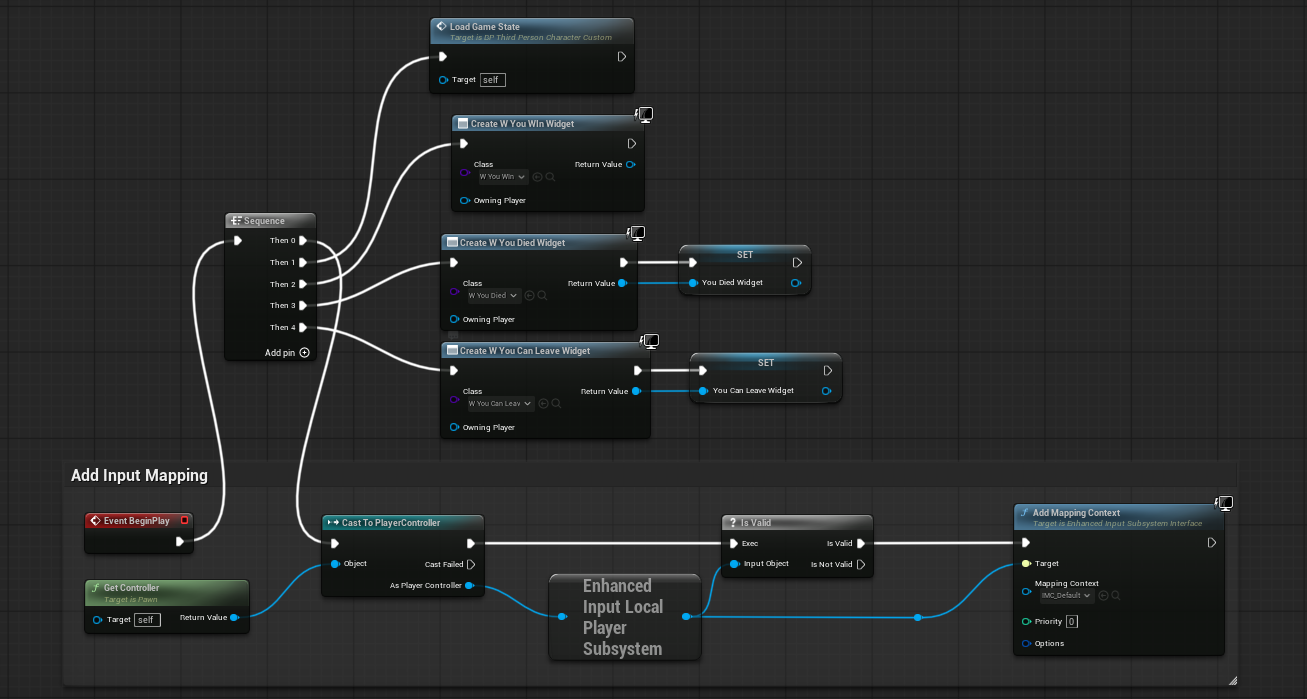
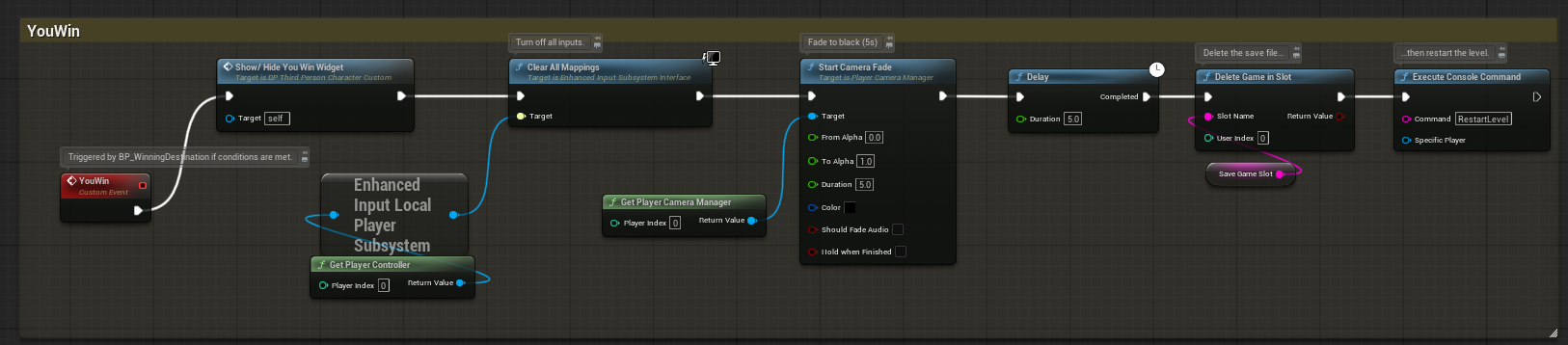
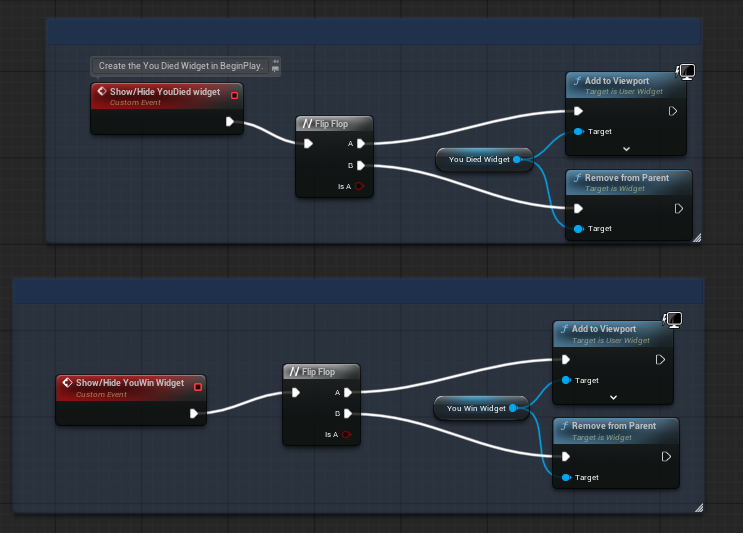
The last widget is only called when the player reaches the number of baskets taken to win the game. It informs the player that they can now leave the map and end the game, or try to get the maximum number of baskets they can get.
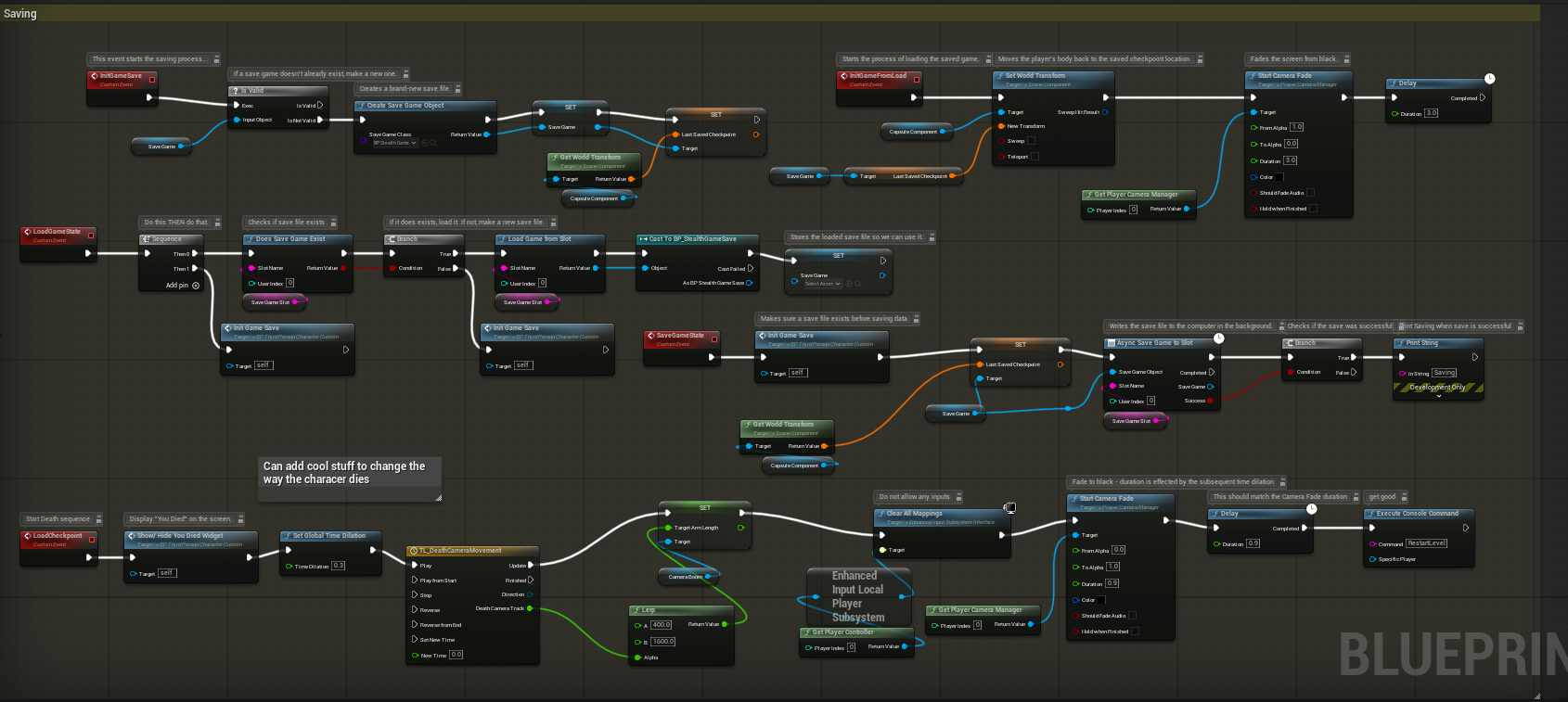
Saving System
Finally, we have the savings system. This is meant to be used as a checkpoint system. We added it to our game a couple of weeks ago, and at first, it did work for me. However, it seems that something has happened to my checkpoint blueprint that causes my Unreal Engine file save to corrupt while in the engine. So I currently do not have it in use in my game.
Animation of Character
We also added a lot of animations to our character to make it look more realistic. This includes running, walking, crouching, and dashing.
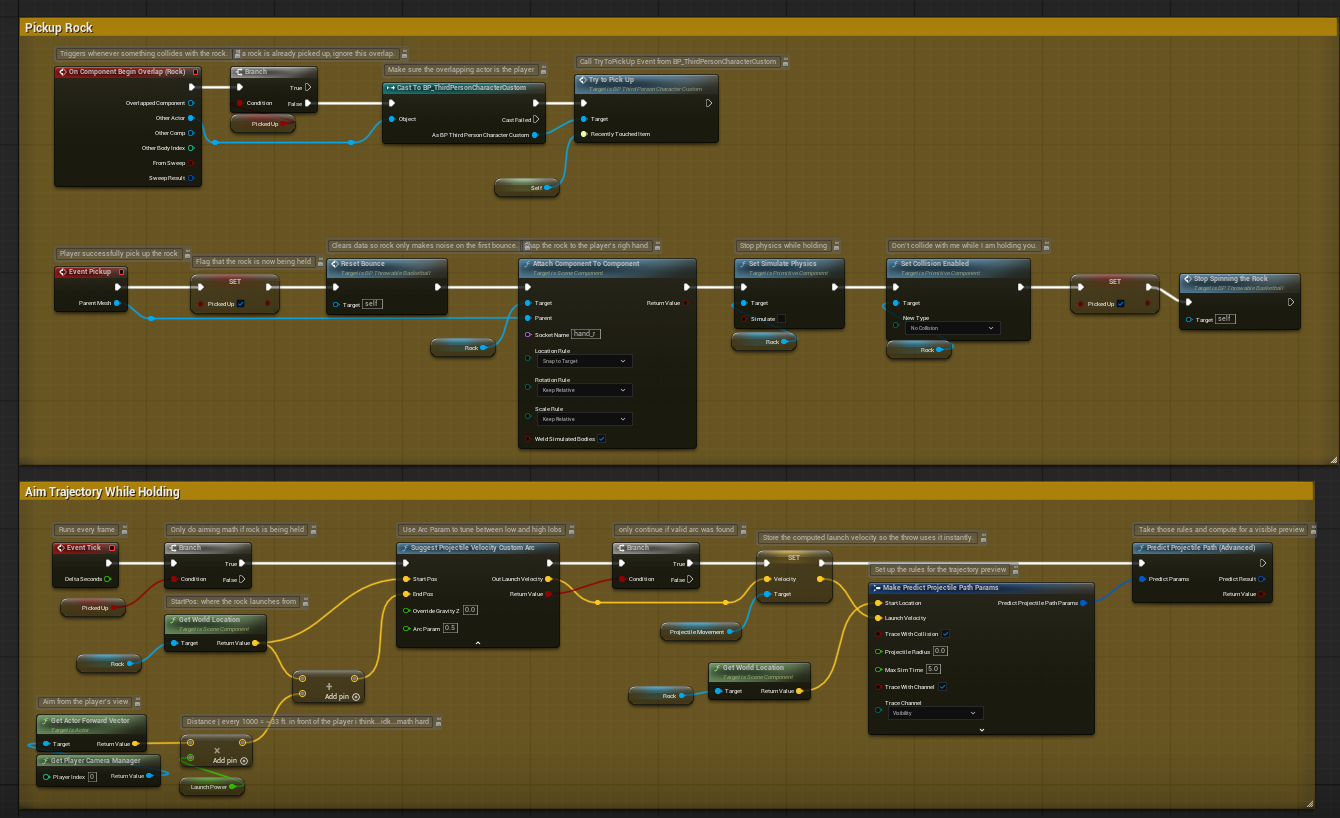
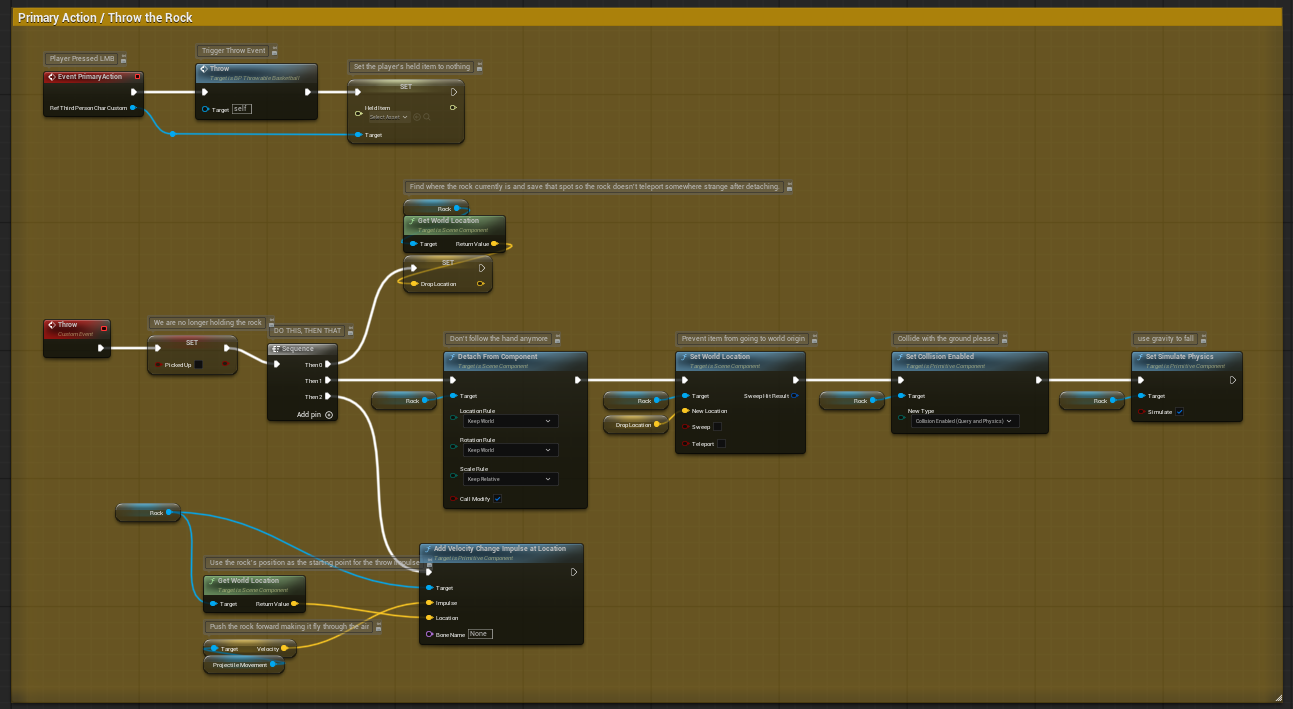
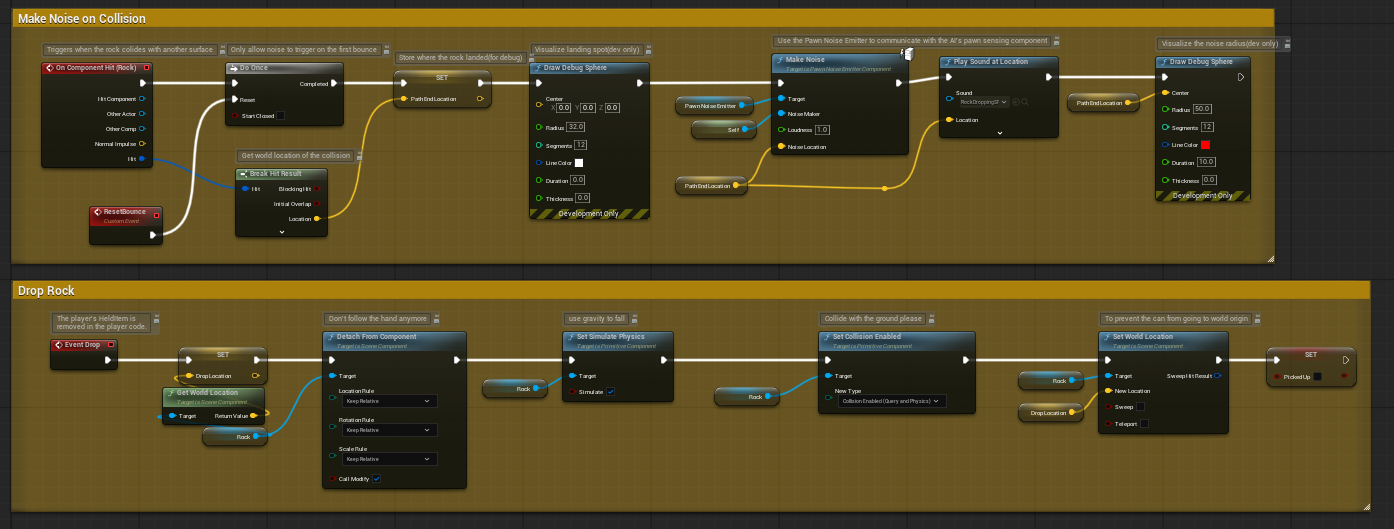
Throwable Basketball
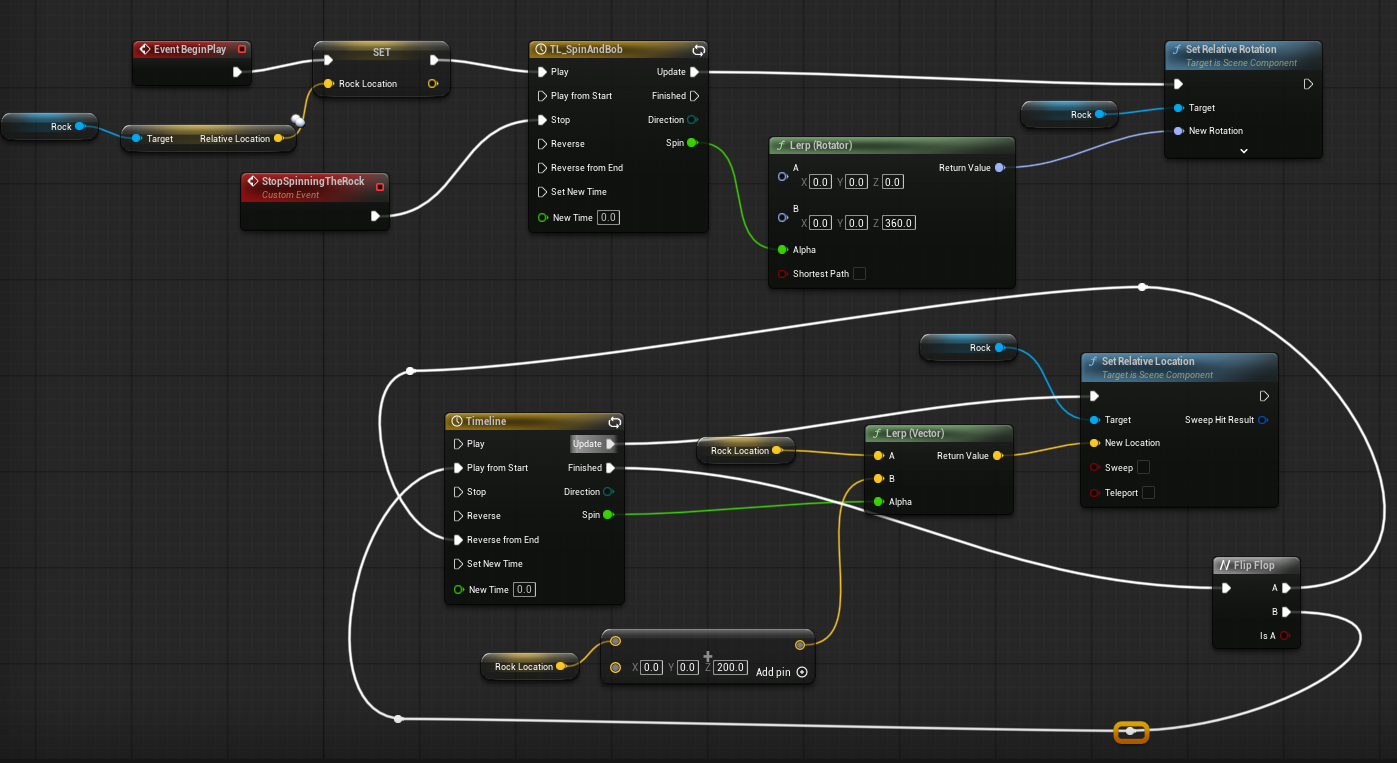
This blueprint was originally a distraction pawn item that we added about a month ago. I duplicated it and changed the mesh so that it looked like a basketball. This means all the coding was made by my teacher. I didn’t touch any of the coding that came with this because I was scared that I would end up ruining what was already there.
PlayTesting
Playtesting is incredibly important when it comes to designing video games because you, as the developer, are playing the game as you made it, while other people will play it in ways you would have never thought possible.
I was able to get one person to play-test my game. I had another person offer, but I still needed to finish some last touches, and I can’t get in contact with them over this weekend. I wish I were able to get more playtests in because the one playtest I did get, they didn’t really give much feedback. All they told me was that the shooting of the ball and accurately getting a basket was hard.
I have tried to make this easier with things like collision boxes to give the player a better sense of where their ball will hit, but the ball always ended up hitting the collision box and never made a basket. They didn’t tell me anything else that needed fixing, so I will have to have more people playtest and encourage them to give me more things to improve and change in the future. I am hoping to get a higher-level game designer to playtest because they might have more insight into things that can be fixed that I haven’t thought about yet.
Conclusion
I have learnt a lot over the first half of the semester. I still feel like I am decently behind a lot of my classmates, especially when it comes to the coding aspect of the designs, but I am slowly learning with the help of my peers and my teacher.
I do have a lot of things I need to get working in this game. Especially some that are seemingly catastrophically broken (checkpoints and saving), but I will make sure to reach out for help and learn different ways to fix problems like these in the future.
Leave a comment
Log in with itch.io to leave a comment.